
C
Qt Quick Ultralite 多屏示例
演示如何在 Qt Quick Ultralite 中使用多个屏幕。
概述
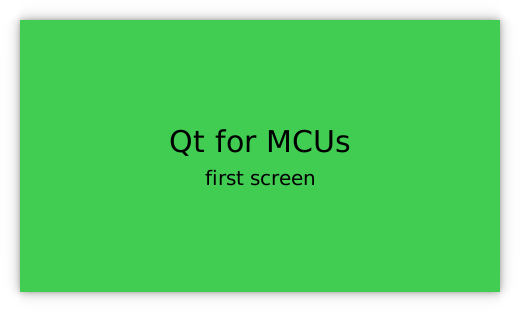
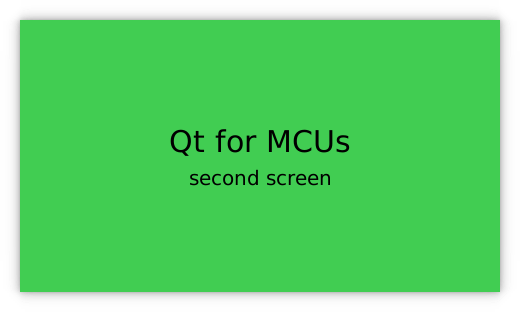
该 multiscreen 示例展示了单个 Qt Quick Ultralite 应用程序如何在多个屏幕上显示内容。
目标平台
项目结构
最小示例只包含三个文件,CMakeLists.txt、mcu_multiscreen.qmlproject 和 multiscreen.qml。
CMake 项目文件包含一个基本的构建脚本,multiscreen.qml 定义了 UI 和 mcu_minimal.qmlproject 包含了简单项目配置,用于将 multiscreen.qml 加载到项目中。
CMake 项目文件
cmake_minimum_required (VERSION 3.21.1)

project(multiscreen VERSION 0.0.1 LANGUAGES C CXX ASM)
if (NOT TARGET Qul::Core)
    find_package(Qul)
endif()

qul_add_target(multiscreen QML_PROJECT mcu_multiscreen.qmlproject GENERATE_ENTRYPOINT)

app_target_setup_os(multiscreen)

if(NOT CMAKE_CROSSCOMPILING AND NOT WIN32)
    add_custom_command(TARGET multiscreen
        COMMAND strip multiscreen -o multiscreen.stripped
        DEPENDS multiscreen)
endif()
应用程序 UI
import QtQuick 2.15
import QtQuickUltralite.Layers 2.0

ApplicationScreens {
    Screen {
        backgroundColor: "#41CD52"
        ItemLayer {
            anchors.centerIn: parent
            depth: ItemLayer.Bpp32Alpha
            width: textPrimary.width
            height: textPrimary.height

            Rectangle {
                anchors.fill: parent
                color: "#41CD52"
            }

            Column {
                id: textPrimary
                anchors.centerIn: parent
                spacing: 5
                Text {
                    anchors.horizontalCenter: parent.horizontalCenter
                    font.pixelSize: 30
                    text: "Qt for MCUs"
                }
                Text {
                    anchors.horizontalCenter: parent.horizontalCenter
                    font.pixelSize: 20
                    text: "first screen"
                }
            }
        }
    }

    Screen {
        backgroundColor: "#41CD52"
        ItemLayer {
            z: 1
            anchors.centerIn: parent
            depth: ItemLayer.Bpp32Alpha
            width: textSecondary.width
            height: textSecondary.height

            Rectangle {
                anchors.fill: parent
                color: "#41CD52"
            }

            Column {
                id: textSecondary
                anchors.centerIn: parent
                spacing: 5
                Text {
                    anchors.horizontalCenter: parent.horizontalCenter
                    font.pixelSize: 30
                    text: "Qt for MCUs"
                }
                Text {
                    anchors.horizontalCenter: parent.horizontalCenter
                    font.pixelSize: 20
                    text: "second screen"
                }
            }
        }
    }
}
文件
在特定 Qt 许可下可用。
了解更多信息。
