
Qt 图形与 Qt Quick 3D集成
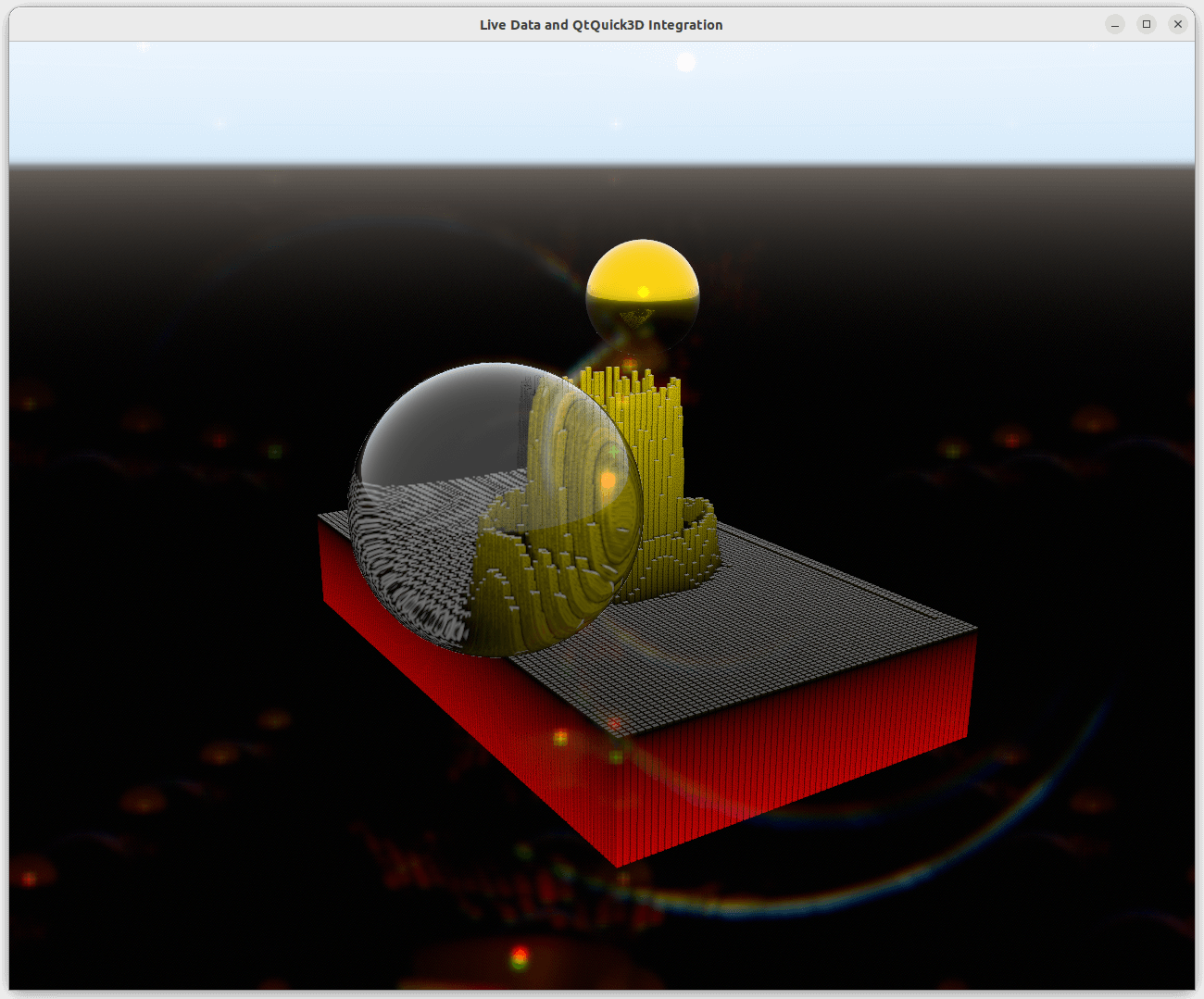
由于Qt Graphs for 3D基于Qt Quick 3D,因此可以将Qt Quick 3D场景集成到图表中。
场景环境
调整图表中的Qt Quick 3D场景环境,需要在图表的environment属性中定义SceneEnvironment或ExtendedSceneEnvironment,如下所示
environment: ExtendedSceneEnvironment {
    aoEnabled: true
    aoDither: true
    ditheringEnabled: true
    lightProbe: Texture {
        textureData: ProceduralSkyTextureData {
            groundBottomColor: "black"
            skyTopColor: "white"
        }
    }
    backgroundMode: SceneEnvironment.SkyBox
    lensFlareEnabled: true
    lensFlareGhostCount: 10
    lensFlareApplyStarburstTexture: true
    lensFlareBloomBias: 0.4
}
不支持的功能
重写抗锯齿模式或场景清除颜色不起作用,这意味着为SceneEnvironment.antialiasingMode和SceneEnvironment.clearColor设置值没有任何效果。但是,如果backgroundMode不是SceneEnvironment.Color,则背景将受到设置的影响。
场景集成
将Qt Quick 3D场景集成到图表中需要在图表的importScene属性中设置一个Node,如下所示
importScene: Node {
    Model {
        scale: Qt.vector3d(0.01, 0.01, 0.01)
        source: "#Sphere"
        x: 2.5
        z: 2
        y: 1
        castsReflections: false
        receivesReflections: true
        materials: [
            PrincipledMaterial {
                baseColor: "gold"
                metalness: 1.0
                roughness: 0.1
            }
        ]
        ReflectionProbe {
            boxSize: Qt.vector3d(6, 3, 5)
            boxOffset: Qt.vector3d(-1.5, -1, -1.5)
            parallaxCorrection: true
            quality: ReflectionProbe.High
        }
    }
    Model {
        scale: Qt.vector3d(0.01, 0.01, 0.01)
        source: "#Sphere"
        x: -2.5
        z: -2
        y: 1
        castsReflections: false
        receivesReflections: true
        materials: [
            PrincipledMaterial {
                baseColor: "white"
                metalness: 0.0
                roughness: 0.0
                transmissionFactor: 1.0
                thicknessFactor: 50
            }
        ]
    }
}
© 2024 Qt公司。此处包含的文档贡献的版权属于各自的所有者。此文档根据自由软件基金会发布的GNU自由文档许可证版本1.3条款进行许可。Qt及其相关商标是芬兰的Qt公司和/或世界各地的商标。所有其他商标均属于其各自所有者。
